

What is an LED Module?
An LED module is the smallest unit that makes up LED display. These modules come in various standard sizes, such as 320mmx160mm, 256mmx256mm, or 192mmx192mm. With just four magnets, you can attach them to a steel frame and start building your display by snapping them together like puzzle pieces.
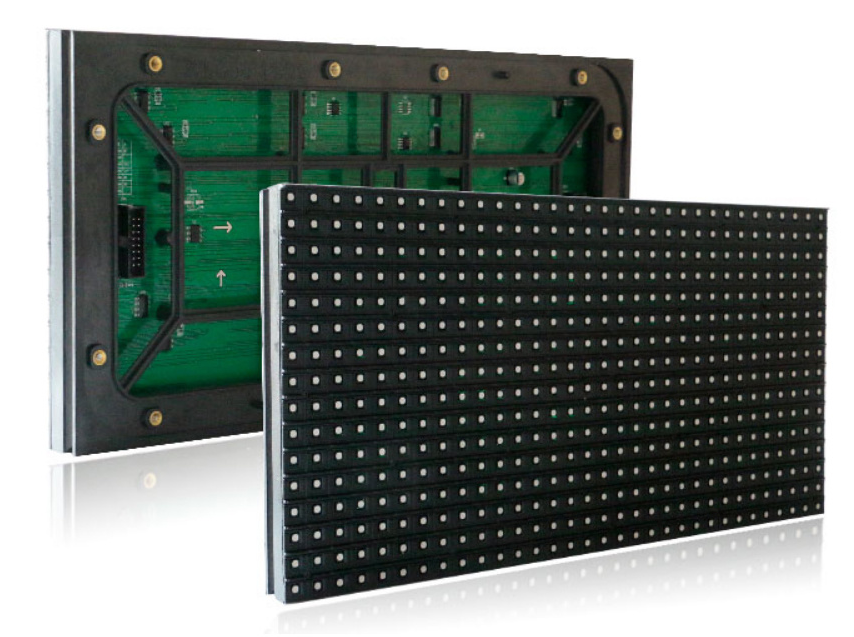
Installing LED Modules
Here’s how you do it:
Craft the Steel Frame: First, you need to create a sturdy steel frame that fits the space where your display will go.
Set Up Power and Control: Next, you'll install the power supplies and control cards on the steel frame and hook them up.
Snap On the Modules: Then, it's time to attach the LED modules.
Final Touches: Lastly, you'll install the main control card, connect your computer, and power up the system for testing.
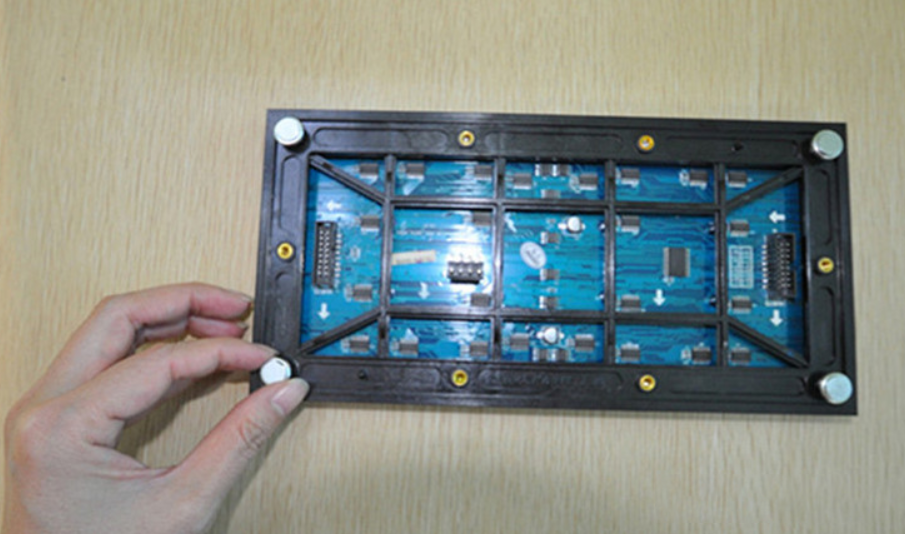
Advantages of Module Installation
Flexibility: You can easily customize the size of your display to fit almost any space.
Cost-Effective: You only use the hardware you need, which saves money.
Easy Maintenance: You can access the back or front for maintenance.
Disadvantages of Module Installation
Weather Protection: Modules aren't very good at keeping water and dust out, so you need to take extra precautions.
Flatness: When you snap them together, there might be some unevenness, which could affect the overall appearance.
What is a Cabinet?
A cabinet is like a base for all the components of an LED display. The receiver card, power supply, HUB card, and modules all end up inside a cabinet, which becomes the basic building block of the display. Cabinets typically have power and signal connectors ready to go.
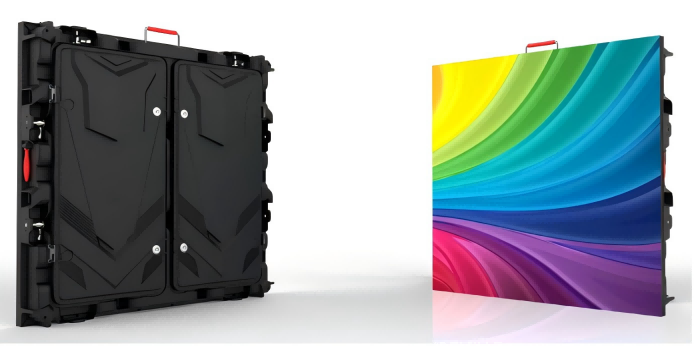
Common Types of Cabinets
Iron Cabinets: These are available in different sizes, like 1280mm x 960mm, 960mm x 960mm, or 768mm x 768mm. There are sealed and simple iron cabinets, with sealed ones being more expensive but offering better protection. For example, our Iron cabinet Out-of-Home LED screen.
Aluminum Cabinets: These are lighter, stronger, and better at cooling down. They're perfect for outdoor displays. For example, our Aluminum cabinet DOOH advertisement sign.
Die-Cast Aluminum Cabinets: These are ultra-lightweight, structurally sound, and highly precise. They're ideal for high-end applications. For example, our Waterproof die-casting DOOH digital billboard.
Carbon Fiber Cabinets: Made from carbon fiber, these cabinets are super thin, light, and strong, making them easy to maintain. For example, our Lightweight Carbon fiber LED display glass Screen.
Installing Cabinets
Here’s the process:
Steel Frame Setup: Start by building a custom steel frame.
Install Cabinets: Place the cabinets on the steel frame.
Power and Control: Install the power supplies and control cards on the cabinets (some cabinets come with these already installed).
Add Modules: Attach the LED modules.
Final Setup: Install the main control card, connect your computer, and power up the system for testing.
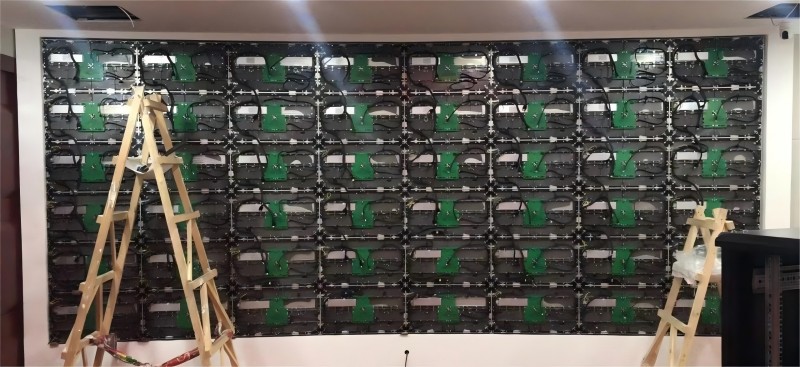
Advantages of Cabinet Installation
Smooth Surface: Cabinets provide a uniform and flat surface, giving you a better viewing experience.
Good Cooling: They're designed to keep things cool, which extends the life of the display.
Stable: Cabinets are sturdy and reliable.
Accessible Maintenance: You can access the front and back for maintenance.
Disadvantages of Cabinet Installation
Higher Cost: Cabinets tend to be more expensive than individual modules.
Limited Size Options: Since cabinets come in fixed sizes, the dimensions of your display might not be as flexible.
So, whether you choose to go with individual modules or cabinets, each option has its own set of pros and cons. The best choice depends on your specific needs and preferences!